Support our educational content for free when you purchase through links on our site. Learn more
What Features to Look for in a Tablet for Kids? 10 Essential Tips! 📱 [2025]

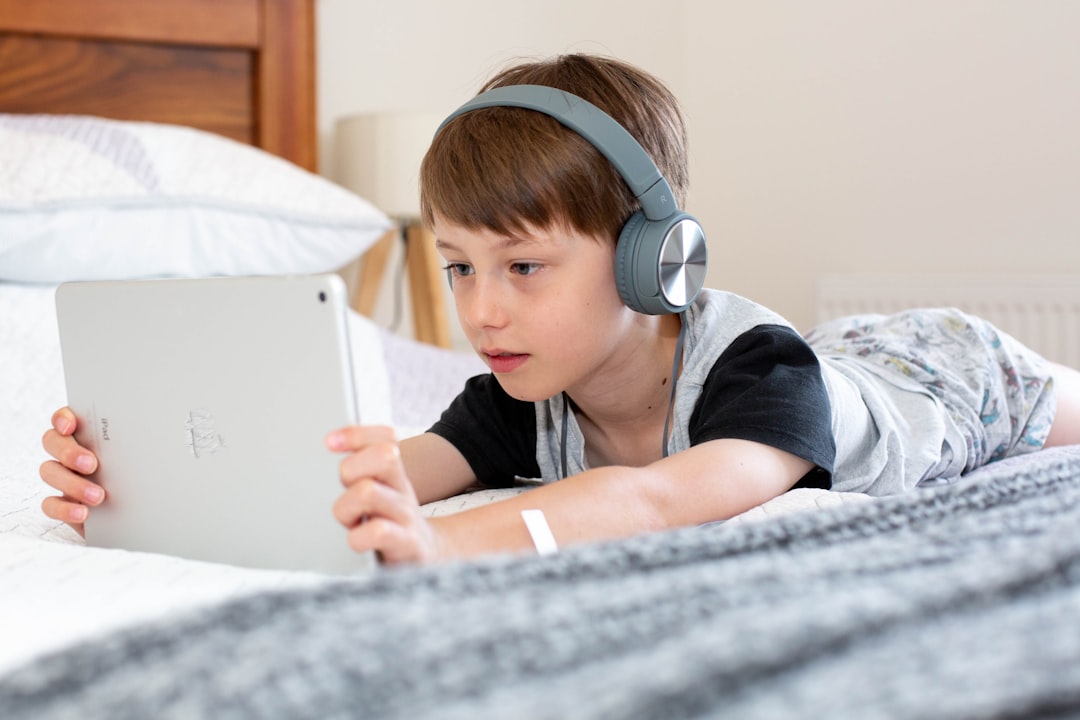
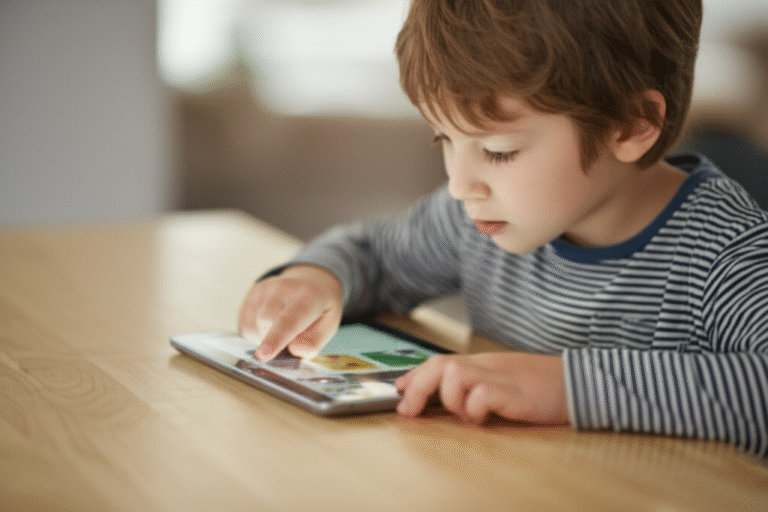
When it comes to choosing the perfect tablet for your child, the options can be overwhelming! With so many devices on the market, how do you know which features truly matter? 🤔 Did you know that a well-chosen tablet can enhance your child’s learning experience while keeping them entertained? In this article, we’ll explore 10 essential features to consider when selecting a tablet for kids, ensuring you make an informed decision that suits their needs and your peace of mind. From durability to parental controls, we’ve got you covered!
Imagine this: your little one is engrossed in a fun educational game that not only entertains but also teaches them math skills! Sounds perfect, right? But how do you find a tablet that strikes the right balance between fun and learning? Let’s dive into the must-have features that will help you find the ideal device for your child!
Key Takeaways
- Durability is Key: Look for tablets designed to withstand drops and spills.
- Parental Controls Matter: Ensure robust features to manage screen time and content.
- Educational Value: Choose tablets with access to age-appropriate educational apps.
- Battery Life Counts: Aim for at least 6-8 hours of use to avoid constant recharging.
- Screen Size and Weight: Find a comfortable size for little hands to hold easily.
Ready to explore the best tablets for kids? Shop Kids Tablets Here!
Table of Contents
Quick Tips and Facts
Understanding the Importance of Choosing the Right Tablet for Kids
What Features Should You Prioritize in a Kids Tablet?
What is the Best Tablet to Buy for a Child?
What’s the Right Age to Introduce a Tablet to Your Child?
Are There Water-Resistant Tablets for Kids?
Choosing the Right Operating System and Storage Capacity
Finding the Perfect Screen Size for Little Hands
How Important is Battery Life for Kids Tablets?
Weight Matters: How Heavy Should a Kids Tablet Be?
Understanding Who Will Use the Tablet and How
Educating Your Child About Internet Safety and Apps
The Importance of Parental Controls
Checking Pre-Loaded Content and Potential Add-Ons
Setting Screen Time Limits: A Family Agreement
Useful Links for Parents
Conclusion
Recommended Links
FAQ
Reference Links
Quick Tips and Facts
Choosing a tablet for your child can feel like navigating a digital jungle! 🦁 But don’t worry, we’re here to help you become a savvy tech-explorer. 🗺️ Here are some quick tips and fun facts to get you started:
- Did You Know? The first tablet computer for kids, the “Kurio7,” launched in 2012. Who remembers that? 😄
- Fact: Kids’ tablets can be fantastic educational tools, with apps designed to make learning fun and engaging. 📚
- Pro Tip: Always set clear screen time limits with your child and stick to them. ⏳
- Remember: It’s crucial to talk to your kids about online safety and responsible internet use. 🛡️
Now, let’s dive deeper into the exciting world of kids’ tablets! 🚀
Understanding the Importance of Choosing the Right Tablet for Kids
Picking the right tablet for your child isn’t just about finding the shiniest gadget. It’s about investing in a tool that can spark their curiosity, foster creativity, and support their learning journey. 🌱
Why It Matters:
- Engagement and Entertainment: A good kids’ tablet offers a world of engaging apps, games, and videos that can keep them entertained while stimulating their minds. 🎮
- Educational Value: Many tablets come pre-loaded with educational apps that make learning fun and interactive, covering subjects like math, science, and language. 🧮🧪🔤
- Creativity and Imagination: Drawing apps, storytelling platforms, and music creation tools can unleash your child’s inner artist and encourage self-expression. 🎨🎤🎭
- Staying Connected: Tablets can help kids stay connected with friends and family through video calls and messaging apps, fostering social interaction. 👨👩👧👦
What Features Should You Prioritize in a Kids Tablet?
Not all tablets are created equal, especially when it comes to meeting the unique needs of young users. Here’s what to look for:
- Durability: Kids can be tough on tech! Look for tablets with sturdy construction, drop-proof designs, and screen protectors. 🛡️
- Parental Controls: Robust parental control features are essential for managing screen time, restricting content, and ensuring online safety. 🔐
- Age-Appropriate Content: Choose a tablet with a library of apps, games, and books that align with your child’s age and interests. 🧸📚
- Ease of Use: A child-friendly interface with intuitive navigation and large icons makes it easy for little fingers to explore. 👉
- Battery Life: Long battery life is crucial for on-the-go entertainment and learning, preventing those dreaded “low battery” meltdowns. 🔋
What is the Best Tablet to Buy for a Child?
Ah, the age-old question! The “best” tablet really depends on your child’s age, interests, and your family’s needs. But fear not, we’ve got you covered!
Check out our in-depth reviews and comparisons of top kids’ tablets: Kids Tablets Comparison
What’s the Right Age to Introduce a Tablet to Your Child?
There’s no magic number when it comes to tablet time. Some experts suggest waiting until age two, while others believe limited, supervised use can be beneficial for younger toddlers.
For a deeper dive into this topic, check out our article: What is a Good Age for a Kid to Get a Tablet? 7 Expert Insights 📱 2025
Ultimately, the decision is up to you as a parent. Consider your child’s developmental stage, your family’s values, and consult with your pediatrician if you have concerns. 👨⚕️
Are There Water-Resistant Tablets for Kids?
Spills happen! 💦 Thankfully, yes, there are water-resistant tablets designed specifically for kids. These tablets can withstand splashes, spills, and even the occasional dunk in the sink (we’ve all been there! 😅).
Look for tablets with an IP rating, which indicates their level of water and dust resistance.
Pro Tip: Even if a tablet is water-resistant, it’s always a good idea to invest in a sturdy case for added protection. 👍
Choosing the Right Operating System and Storage Capacity
Operating Systems: The Big Two
- Android: Known for its versatility, customization options, and a vast app library on the Google Play Store. 🤖
- iOS (Apple): Renowned for its user-friendly interface, seamless integration with other Apple devices, and a curated app selection on the App Store. 🍎
Which one is right for your child? Consider your family’s existing devices, app preferences, and budget.
Storage Capacity: Don’t Get Caught Short!
- 16GB: A good starting point for basic use, but it can fill up quickly with apps, photos, and videos.
- 32GB: A solid choice for most kids, offering ample space for apps, games, and downloaded content.
- 64GB or higher: Ideal for heavy users who love downloading movies, music, and lots of apps.
Pro Tip: Consider a tablet with expandable storage (via microSD card) to give you the flexibility to add more space as needed. 💾
Finding the Perfect Screen Size for Little Hands
Tablet screen sizes are typically measured diagonally in inches. Here’s a quick guide:
- 7-8 inches: Ideal for younger children, offering a comfortable grip and portability.
- 9-10 inches: A good balance between portability and screen real estate, suitable for older kids and teens.
- 11 inches or larger: Best for families who plan to share the tablet, providing a larger viewing area for movies and games.
Remember: Consider your child’s hand size and how they plan to use the tablet.
How Important is Battery Life for Kids Tablets?
Battery life is crucial, especially for those long car rides, family vacations, or just avoiding the dreaded “low battery” meltdown. 🚗✈️😭
- Look for tablets that offer at least 6-8 hours of mixed use. This should be enough to get through a day of school, a long car ride, or a few hours of playtime.
- Consider a tablet with fast charging capabilities. This can be a lifesaver when you’re short on time.
Pro Tip: Teach your child to conserve battery life by dimming the screen brightness, closing unused apps, and turning off Wi-Fi when not in use. 🔌
Weight Matters: How Heavy Should a Kids Tablet Be?
A tablet that’s too heavy can be tiring for little arms to hold, especially during long periods of use.
- Aim for a tablet that weighs around 1 pound or less. This is a comfortable weight for most kids to hold without strain.
- Consider a tablet with a built-in stand or handle. This can make it easier for kids to prop up the tablet for hands-free viewing.
Understanding Who Will Use the Tablet and How
Will the tablet be a dedicated device for your child, or will siblings be sharing? Is it primarily for entertainment, education, or a bit of both?
- Multiple Users: If the tablet will be shared, look for devices that allow you to create separate user profiles. This keeps apps, games, and progress separate for each child.
- Primary Use: Tailor your choice to how the tablet will be used most. If it’s mainly for education, prioritize educational apps and features. If it’s for entertainment, focus on screen quality, sound, and a diverse app library.
Educating Your Child About Internet Safety and Apps
Before handing over the digital reins, it’s crucial to have open and honest conversations with your child about online safety.
- Stranger Danger: Teach them never to share personal information online, such as their full name, address, or phone number.
- Cyberbullying: Discuss the importance of being kind and respectful online, and how to report any instances of cyberbullying.
- App Permissions: Explain why apps ask for permission to access things like the camera, microphone, or location, and teach them to be cautious about granting permissions.
Remember: You are your child’s first line of defense in the digital world. Stay informed, stay involved, and keep the lines of communication open. 🛡️
The Importance of Parental Controls
Parental controls are essential tools that empower you to manage your child’s tablet use and keep them safe online.
- Screen Time Limits: Set daily or weekly limits on how long your child can use the tablet. ⏳
- Content Filtering: Block access to inappropriate websites, apps, and games based on age ratings or specific keywords. 🚫
- App and In-App Purchase Restrictions: Prevent your child from downloading new apps or making in-app purchases without your permission.
- Usage Monitoring: Track your child’s tablet activity, including which apps they use, websites they visit, and how much time they spend online.
Pro Tip: Most kids’ tablets come with built-in parental controls. Take the time to explore these settings and customize them to fit your family’s needs.
Checking Pre-Loaded Content and Potential Add-Ons
Before you buy, take a peek at what comes pre-installed on the tablet.
- Age-Appropriateness: Ensure that all pre-loaded apps, games, and books are suitable for your child’s age.
- Trial Versions: Be wary of tablets that come loaded with trial versions of apps or games that require a subscription or purchase to unlock full functionality.
- Add-On Options: Explore what additional apps, games, and educational content are available for the tablet, either through a dedicated app store or subscription services.
Setting Screen Time Limits: A Family Agreement
Screen time limits can be a source of contention in many households. The key is to involve your child in the process and create a family agreement that everyone understands and respects.
- Open Communication: Have an honest conversation about the benefits and drawbacks of screen time.
- Set Realistic Limits: Start with age-appropriate timeframes and adjust as needed.
- Be Consistent: Enforce the agreed-upon limits consistently to avoid confusion and power struggles.
- Lead by Example: Be mindful of your own screen time habits and model healthy digital behaviors.
Pro Tip: Create “screen-free” zones in your home, such as the dinner table or bedrooms, to encourage family interaction and offline activities. 👨👩👧👦
Useful Links for Parents
Here are some helpful resources for parents navigating the world of kids and technology:
- Common Sense Media: Provides age-based ratings and reviews for movies, TV shows, apps, and websites.
- ConnectSafely: Offers tips and advice for parents on a wide range of online safety topics.
- Family Online Safety Institute: Provides resources and information to help families stay safe online.
- American Academy of Pediatrics: Offers guidelines for children’s screen time and media use.
Conclusion

Choosing the right tablet for your child is a significant decision that can impact their learning, creativity, and entertainment. By focusing on durability, age-appropriate content, robust parental controls, and battery life, you can ensure that the tablet you choose will be a valuable tool in their development.
Summary of Positives and Negatives:
Positives:
- Educational Value: Many tablets come pre-loaded with engaging educational apps and content.
- Durability: Tablets designed for kids often feature rugged designs that can withstand drops and spills.
- Parental Controls: Robust parental controls allow you to manage your child’s online experience effectively.
Negatives:
- Limited Performance: Some budget tablets may struggle with more demanding apps or multitasking.
- Screen Size: Smaller screens can be less enjoyable for watching videos or playing games.
- Battery Life: Some models may not last through a full day of use, especially with heavy app usage.
In conclusion, we confidently recommend investing in a tablet that meets your child’s specific needs and your family’s values. With the right device, you can foster a love for learning and creativity while ensuring a safe and enjoyable digital experience. 🌟
Recommended Links
- 👉 Shop Amazon Fire HD 8 Kids Edition: CHECK PRICE on Amazon
- 👉 Shop LeapFrog Tablets: CHECK PRICE on Amazon
- 👉 Shop Playaway Launchpad: CHECK PRICE on Playaway
- Books on Digital Parenting: CHECK PRICE on Amazon
FAQ

What is the ideal screen size for a kids’ tablet?
The ideal screen size for a kids’ tablet typically ranges from 7 to 10 inches.
- 7-8 inches: Best for younger children, as it’s lightweight and easy to handle.
- 9-10 inches: Offers a larger viewing area, making it suitable for older kids and teens who may use the tablet for more extensive activities like gaming and watching videos.
Read more about “What is a Good Age for a Kid to Get a Tablet? 7 Expert Insights 📱 …”
What level of parental controls should I look for in a tablet for kids?
Look for tablets that offer comprehensive parental controls, including:
- Screen Time Management: Ability to set daily limits on usage.
- Content Filtering: Options to block inappropriate content based on age ratings.
- App Restrictions: Control over which apps can be downloaded or accessed.
- Monitoring Features: Tools to track your child’s activity and usage patterns.
Read more about “Ultimate Tablets for Children Reviews: Top 7 Picks for 2025! 📱”
How much storage space does a kids’ tablet need?
A kids’ tablet should ideally have at least 32GB of storage.
- 16GB may be sufficient for basic use, but it can fill up quickly with apps, games, and media.
- 64GB or more is recommended for heavy users who enjoy downloading movies, music, and various apps.
Read more about “Is 32GB Enough for a Kid Tablet? 🤯 The Ultimate Storage Guide …”
What is the best operating system for a kids’ tablet?
The best operating system depends on your family’s needs:
- Android: Offers a wide variety of apps and customization options, making it versatile for different users.
- iOS (Apple): Known for its user-friendly interface and a curated app ecosystem, ideal for families already using Apple products.
Read more about “The 10 Best Tablets for 10-12 Year Olds: Top Picks for 2025 📱”
Is a rugged case and screen protector essential for a kids’ tablet?
Yes, a rugged case and screen protector are highly recommended for kids’ tablets.
- Protection Against Drops: Kids can be rough on devices, and a sturdy case can prevent damage from accidental drops.
- Screen Safety: A screen protector can help prevent scratches and cracks, ensuring the tablet stays in good condition.
What type of processor and RAM should a kids’ tablet have for smooth performance?
Look for tablets with at least a quad-core processor and 2GB of RAM.
- Quad-core processors provide better multitasking capabilities and smoother performance for games and apps.
- 2GB of RAM is sufficient for most educational and entertainment apps, ensuring a lag-free experience.
Are there tablets specifically designed for educational purposes?
Yes, several tablets are specifically designed for educational purposes, such as:
- LeapFrog Tablets: Focus on learning with access to educational games and content.
- Playaway Launchpad: Pre-loaded with educational apps and games, designed for various age groups.
Read more about “Discover the 10 Best Android Tablets for Kids in 2025! 📱✨”
What is a good battery life for a kids’ tablet?
A good battery life for a kids’ tablet is at least 6-8 hours of mixed use.
- This duration is essential for long car rides, school days, or extended play sessions without needing frequent recharging.
Read more about “15 Essential Features to Consider When Choosing a Tablet for Your Child 📱”
Are there kid-friendly apps and content available on the tablet?
Yes, many tablets come with access to a wide range of kid-friendly apps and content.
- Educational Apps: Cover subjects like math, reading, and science.
- Creative Apps: Allow kids to draw, create music, or tell stories.
- Entertainment Apps: Offer games, videos, and interactive experiences suitable for children.
Read more about “Discover the 5 Best Samsung Tablets for Kids in 2025! 📱✨”
Reference Links
- Common Sense Media
- ConnectSafely
- Family Online Safety Institute
- American Academy of Pediatrics
- Playaway Launchpad Overview
With the right knowledge and tools, you can confidently choose a tablet that will not only entertain but also educate your child. Happy tablet hunting! 🎉